
Shopware, the leading open commerce platform, helps developers, agencies, and merchants create exceptional online stores. Our API- and app-centric approach, global community, and comprehensive documentation provide the tools and guidance you need to succeed.

Start Shopware in just minutes
- 1Install Prerequisites
Make sure you have these prerequisites installed.
- 2Create Project
Create a new Shopware project using the CLI.
bashshopware-cli project create mystore - 3Interactive InstallationRefer to the video on the right for the interactive installation walkthrough.
- 4Start Environment
Enter your project directory and start the local environment.
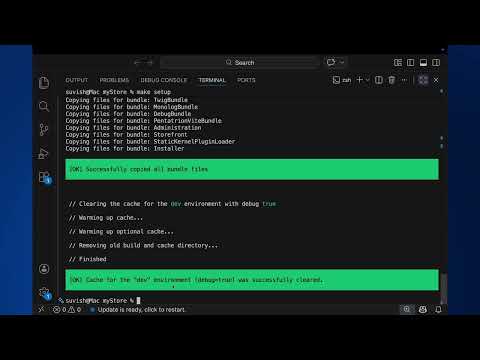
bashcd mystore && make up - 5Setup Shopware
Install Shopware and set up the database for your local environment.
bashmake setup - 6Access Admin and Storefront
Your Shopware instance is running. Open the URLs below to get started.
Login credentialsUsername: adminPassword: shopwaretxthttp://127.0.0.1:8000/admintxthttp://127.0.0.1:8000
Continue with the Full CLI Guide
Follow the official Shopware documentation for detailed setup steps, configuration options, and advanced usage.
Build the extraordinary
 Build an app
 Boost or expand your store's capabilities with the simplicity of apps, a must-have for developers seeking to elevate their digital marketplace.

Build unique and captivating custom storefronts using Store APIs and SDKs, or start with reference implementations using technologies like Vue.js or React.
Build a themeStyle your store with unparalleled flexibility using custom-built or third-party themes.
IntegrationsIntegrate with third-party systems through powerful APIs.
Adoption made easy
Our philosophy, your opportunity.
Open source is the most honest, transparent, and secure way to develop software. Together with our global community we’re creating the heart and soul of our ecommerce software.

Stay in sync with Shopware
Release notes Shopware 6.7.13.0 5.8.2026
This release resolves 231 issues, focusing on improving reliability and developer experience. It addresses critical bugs in product streams, email template cloning, and currency formatting, while also refining caching behavior, category indexing performance, and Elasticsearch product mapping. Additionally, it introduces new Admin API endpoints for translation management and enhances the MCP server with toolsets and list-change notifications.
View details
Join the Shopware Discord Community and connect with more than 8,000 Developers!
We've got an incredible community waiting for you! Join our Shopware Discord server, where developers from around the world come together to share knowledge, insights, and experiences.
Join the community channel